Sentry and Telegram Alerts
Table of Contents
Attention
Now, Sentry is supporting alerts via Telegram through their official integration. This article seems to be outdated. The absence of that integration was the purpose of this article. It was one of my small experiments -- I'll just leave it there.
-- Abduaziz
Intro
Sentry is a well known system for error tracking and monitoring for software projects and it is a Python/Django based open-source project!
Personally, I've used it for error tracking -- meaning if there is anything wrong with my software, I'll get immediate alert email. Then I'm able to navigate into Sentry's dashboard to see whole full context. It is freely available on https://sentry.io, but if you're gigachad, you can host it in your own hardwar (self-hosted).
Problem Statement
By default, on Sentry we'll receive those error alerts via email. However, Sentry also has plenty integrations with other external services for delivery like Discord, Slack, Twillo etc. For me(a person from Uzbekistan) -- Telegram is more convinient.
Unfortunately, Sentry team does not have any plans to add "native" Telegram integration(yet):
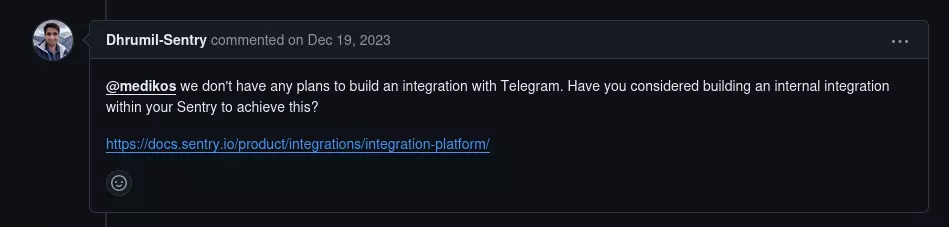
You might find non-official Telegram integrations for Sentry, to make that happen you must install it in your self-hosted Sentry instance which most of us don't own.
Integrations:
To achieve our goal(sending via Telegram) -- we must do this in our way (The Way of Sword ?). Our approach begins by little "digging" into sentry Python module library.
Solution
This library offers us functionality to add/write our own hooks(i.e. Python functions as a callback) and here we'll have an access to event object which is full error context (everything, from traceback, environment etc.). Normal people would use it to filter out sensitive information(e.g. secrets, passwords, personal information) so that it won't reach Sentry's servers -- but we're different.
We'll go through same path with different intention, just taking event object and sending it to Telegram(=API request)
Code
In my case(at the time of writing this article), it was Django project. to imitate an runtime error/exception, we will add an endpoint which spawns exception(deliberately and silently):
urlpatterns = [
    ...
    path(
        "error_trigger/",
        lambda _: JsonResponse("Ok, you found it."),
    ),
    ...
]
And define TELEGRAM_CHAT_ID & TELEGRAM_BOT_TOKEN in your settings.py, add your telegram bot to your group(if you want in that way, or put your own ID) then start & tag bot in your chat. Get chat ID by reading getUpdates API method:
TELEGRAM_BOT_TOKEN="..." curl "https://api.telegram.org/bot$TELEGRAM_BOT_TOKEN/getUpdates"
Then, for main part (stubs):
# NOTE(Abduaziz): you might name this as sentry_telegram.py
def make_message(event: dict, hint: dict) -> str: ...


def send_message(message: str) -> requests.Response: ...


def before_send_callback(event: dict, hint: dict) -> dict: ...
make_message will read and format event object, then we'll feed it into send_message so that it will make an API request to Telegram's /sendMessage method. We have before_send_callback function too our solution with sentry python library.
ThE main part - Code (who cares about explanations):
import logging
import requests
from datetime import datetime
from django.conf import settings

logger = logging.getLogger("api") # check yours

# NOTE(AbduazizZiyodov): I drafted this article pre-LLM slop era,
#   I really liked emojis at that "age".

MESSAGE_FORMAT = """
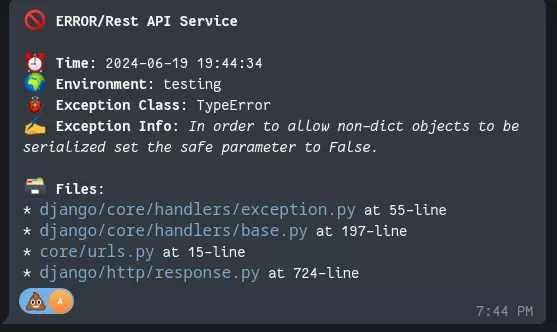
<b>🚫 ERROR/Rest API Service</b>

<b>⏰ Time</b>: {}
<b>🌍 Environment</b>: {}
<b>🐞 Exception Class</b>: {}
<b>✍️ Exception Info</b>: <i>{}</i>

<b>🗃 Files</b>:
{}
"""

TELEGRAM_REQUEST_URL = (
    f"<https://api.telegram.org/bot{settings.TELEGRAM_BOT_TOKEN}/sendMessage>"
)

def make_message(event: dict, hint: dict) -> str:
    exc_class_name = hint.get["exc_info"](0).**name**
    files = "\n".join(
        (
            f"* <code>{frame['filename']}</code> at {frame['lineno']}-line"
            for value in event["exception"]["values"]
            for frame in value["stacktrace"]["frames"]
        )
    ) # print event in your console, decide what you need - like me

    current_time = datetime.now().strftime(
        settings.REST_FRAMEWORK.get("DATETIME_FORMAT")
    )

    return MESSAGE_FORMAT.format(
        current_time,
        event.get("environment"),
        exc_class_name,
        hint.get("exc_info")[1],
        files,
    )

def send_message(message: str) -> requests.Response:
    return requests.post(
        TELEGRAM_REQUEST_URL,
        json={
            "text": message,
            "parse_mode": "HTML",
            "chat_id": settings.TELEGRAM_CHAT_ID,
        },
    )

def before_send_callback(event: dict, hint: dict) -> dict:
    telegram_message = make_message(event, hint)
    telegram_response = send_message(telegram_message)

    if telegram_response.status_code != 200:
        logger.warning(
            f"Bruh {telegram_response.status_code=} {telegram_response.text=}"
        )
    return event

__all__ = ["before_send_callback"]
Then we shall register our hook:
...
from utils.sentry_telegram import before_send_callback

sentry_sdk.init(
    ... # Other settings
    before_send=before_send_callback, # < -- -- here
)
...
Result
Conclusion
I'm glad if that was useful to you somehow. You should try this even if its not "thaat" efficient. At least try the Sentry itself if you haven't.
Update (March, 2025)
The PR/Issue just resolved and merged, and now we have official Telegram integration.
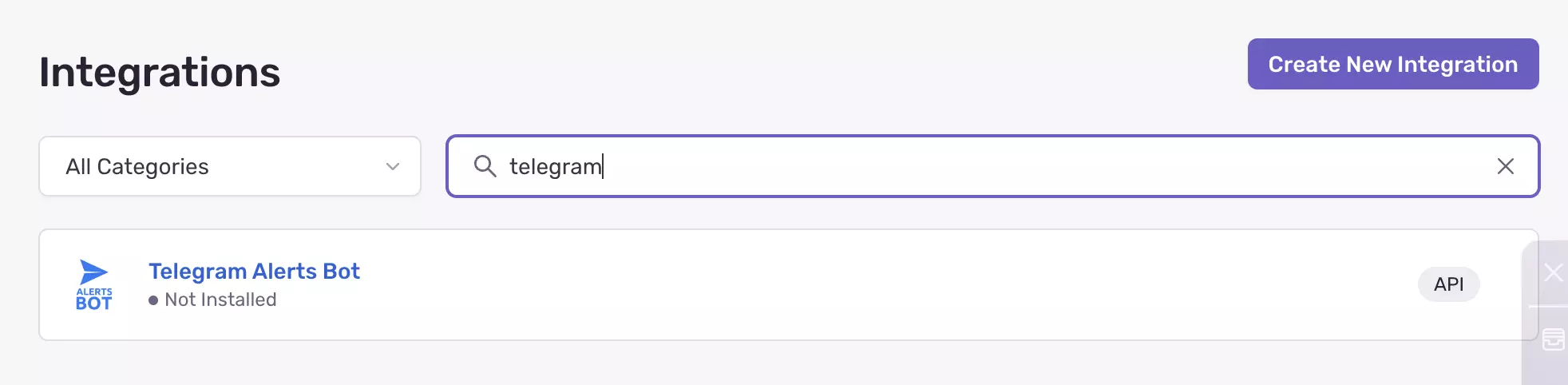
You should turn-on this from integrations page and configure it from Alerts -> action settings:
Steps:
- Find and enable "Telegram Alerts Bot" integration for your project
- Start https://t.me/sentry_io_bot
- It provides personal key, or if you want alerts in your group chat -- add it then you'll get one for your group as well.
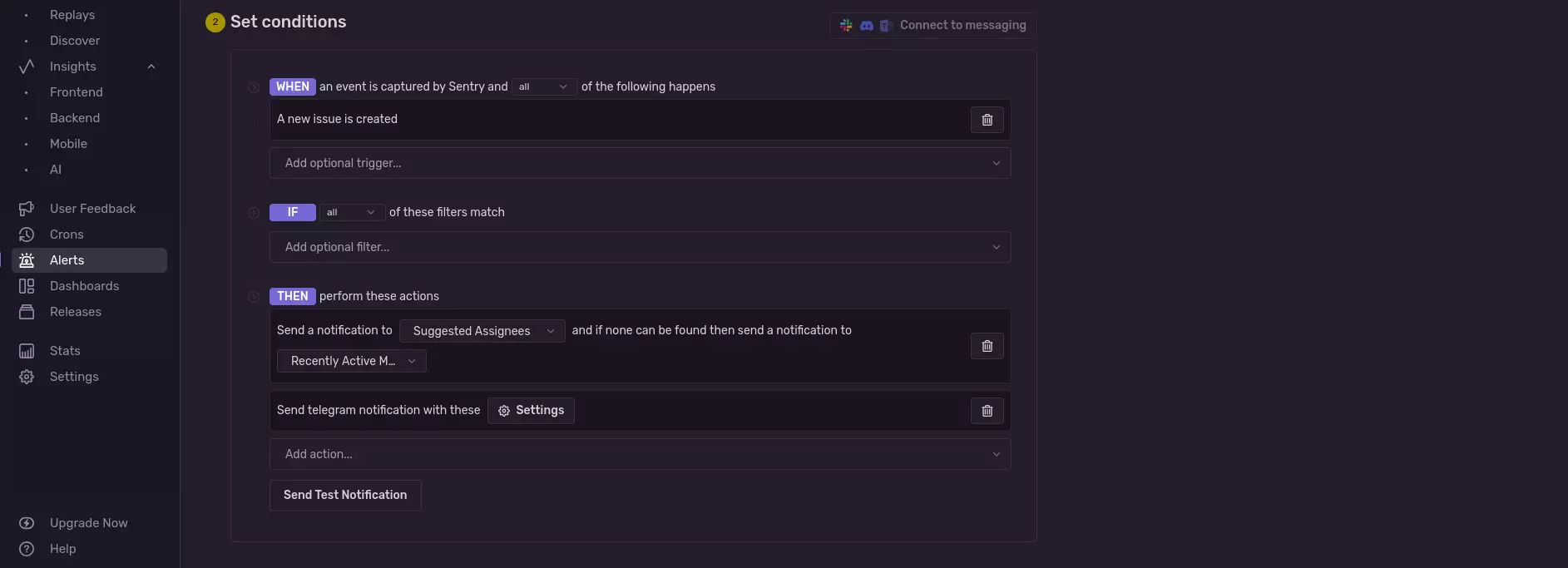
- Go to "Alerts" section, select currently active "alert"
- In "THEN perform these actions" ("Set Conditions" step) section add new "action"(trigger/hook). Select Telegram, provide your chat key.
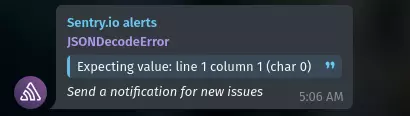
Result:
More:
Cryptographic Authenticity of Current Page
Manual steps, or see below for "all in one":
- Get my RSA public key from GitHub or Codeberg.
- Get current page's RSA signature
-
Get current page's HTML source - save or via
curl,wget -
Create
allowed_signersfile mapping my email into this public key - Finally, verify via
ssh-keygen - Drink some tea
(
    export EMAIL="..." SLUG="sentry-telegram-integration"
    export URL="https://abduaziz.ziyodov.uz/$SLUG"
    mkdir -p /tmp/verify && cd /tmp/verify && \
    curl $URL.html.sig > $SLUG.html.sig && \
    curl https://codeberg.org/Abduaziz.keys > key.pub && \
    curl $URL > $SLUG.html && \
    printf "%s %s\n" $EMAIL "$(cat key.pub)" > allowed_signers
    ssh-keygen -Y verify -f ./allowed_signers -I $EMAIL -n file \
               -s $SLUG.html.sig < $SLUG.html
)